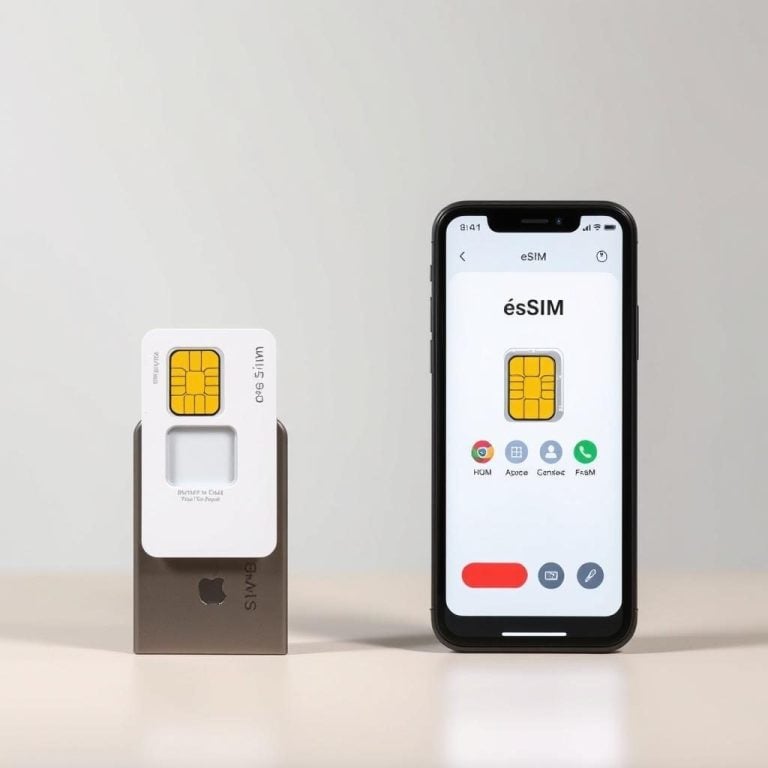
Is My Phone Compatible with a European eSIM? Full iPhone and Android Compatibility Guide
Why eSIM Compatibility Matters Before You Travel to Europe
You’ve booked your flights, mapped out your itinerary, and now you need reliable mobile data across Europe. An eSIM is the fastest, most convenient way to get connected — no tiny plastic card to fumble with at the airport, no hunting for a local shop in a foreign city. But before you purchase a plan, there’s one question you absolutely must answer: does my phone actually support eSIM?
This guide walks you through every major device that works with a European eSIM, how to verify compatibility on your specific handset, and what to watch out for with carrier locks and regional restrictions. Whether you carry an iPhone, a Samsung Galaxy, a Google Pixel, or another Android device, you’ll know exactly where you stand by the end of this article.
TL;DR — Quick Compatibility Check
If your phone is an iPhone XS or newer, Samsung Galaxy S20 or newer, or Google Pixel 3a or newer, it almost certainly supports eSIM. The exceptions are carrier-locked devices and certain regional hardware variants. To confirm, open your phone’s settings and look for an “Add eSIM” or “Add Cellular Plan” option. If it’s there, you’re good to go — head over to browse an europe esim with number and pick a plan that fits your trip.
What Is an eSIM and How Does It Work?
An eSIM (embedded SIM) is a small chip soldered directly onto your phone’s motherboard. Unlike a traditional nano-SIM that you physically insert, an eSIM is activated digitally — typically by scanning a QR code or tapping an activation link. The phone downloads a carrier profile, and within minutes you have a working data connection.
For travelers heading to Europe, this means you can purchase and install your plan before you even board the plane. Once you land, your phone connects to a local partner network automatically. Many European eSIM plans cover 30+ countries under a single profile, so you stay connected whether you cross from France into Spain or take a train from Germany to the Netherlands.
According to the GSMA, the industry body behind eSIM standards, over 200 mobile operators worldwide now support the technology, and adoption is accelerating rapidly.
Complete iPhone eSIM Compatibility List
Apple was one of the earliest mainstream adopters of eSIM, introducing it with the iPhone XS lineup in 2018. Here’s the full list of eSIM-capable iPhones:
iPhones That Support eSIM
– iPhone XS, iPhone XS Max, iPhone XR (2018)
– iPhone 11, iPhone 11 Pro, iPhone 11 Pro Max (2019)
– iPhone SE 2nd generation (2020)
– iPhone 12 mini, iPhone 12, iPhone 12 Pro, iPhone 12 Pro Max (2020)
– iPhone 13 mini, iPhone 13, iPhone 13 Pro, iPhone 13 Pro Max (2021)
– iPhone SE 3rd generation (2022)
– iPhone 14, iPhone 14 Plus, iPhone 14 Pro, iPhone 14 Pro Max (2022)
– iPhone 15, iPhone 15 Plus, iPhone 15 Pro, iPhone 15 Pro Max (2023)
– iPhone 16, iPhone 16 Plus, iPhone 16 Pro, iPhone 16 Pro Max (2024)
Important Notes for iPhone Users
The iPhone 14 models sold in the United States are eSIM-only — they don’t have a physical SIM tray at all. These devices support dual eSIM, meaning you can have two eSIM profiles active simultaneously. International versions of the iPhone 14 and newer still include a nano-SIM tray alongside eSIM support.
One critical exception: iPhones purchased in mainland China (model numbers ending in /CH) and Hong Kong (excluding the iPhone 13 mini and later) may not support eSIM due to regional regulations. If you bought your iPhone in China, check your model number in Settings > General > About before purchasing a plan.
How to Check eSIM Support on iPhone
Open Settings > Cellular (or Mobile Data) > Add eSIM (or Add Cellular Plan). If that option exists, your device is ready. You can also check by going to Settings > General > About and scrolling down to see if an “Available SIM” or “Digital SIM” section appears, showing your EID (eSIM identifier) number.
Samsung Galaxy eSIM Compatibility List
Samsung rolled out eSIM support more gradually, and compatibility varies significantly by region and carrier variant. Here are the Samsung devices that support eSIM:
Samsung Phones with eSIM
– Galaxy S20, S20+, S20 Ultra (2020) — select variants
– Galaxy S21, S21+, S21 Ultra, S21 FE (2021) — select variants
– Galaxy S22, S22+, S22 Ultra (2022)
– Galaxy S23, S23+, S23 Ultra, S23 FE (2023)
– Galaxy S24, S24+, S24 Ultra (2024)
– Galaxy Z Flip, Z Flip 3, Z Flip 4, Z Flip 5, Z Flip 6
– Galaxy Z Fold 2, Z Fold 3, Z Fold 4, Z Fold 5, Z Fold 6
– Galaxy Note 20, Note 20 Ultra (2020) — select variants
– Galaxy A54 5G (2023) — select regions
The Samsung Regional Variant Problem
Samsung is the trickiest brand when it comes to eSIM because the same model can ship with or without eSIM functionality depending on the region and the carrier. A Galaxy S22 purchased unlocked in the US may support eSIM, while the same model bought through a specific European carrier might not.
If you own a Samsung device, the most reliable way to check is to go to Settings > Connections > SIM Manager. If you see an option to “Add eSIM” or “Add Mobile Plan,” your specific variant supports it. No option? Your hardware variant likely lacks the feature, regardless of what the model name suggests.
Google Pixel eSIM Compatibility List
Google has been an eSIM champion since the Pixel 2, though early models restricted eSIM to Google Fi. Full, open eSIM support — meaning you can use any compatible carrier profile — started with the Pixel 3a.
Pixel Phones with Full eSIM Support
– Google Pixel 3a, Pixel 3a XL (2019)
– Google Pixel 4, Pixel 4 XL, Pixel 4a, Pixel 4a 5G (2019–2020)
– Google Pixel 5, Pixel 5a (2020–2021)
– Google Pixel 6, Pixel 6 Pro, Pixel 6a (2021–2022)
– Google Pixel 7, Pixel 7 Pro, Pixel 7a (2022–2023)
– Google Pixel 8, Pixel 8 Pro, Pixel 8a (2023–2024)
– Google Pixel 9, Pixel 9 Pro, Pixel 9 Pro XL, Pixel 9 Pro Fold (2024)
Pixel phones are generally the most straightforward Android devices for eSIM activation. Carrier-locked Pixels from certain networks (especially in Japan and some US carriers) can be exceptions, but an unlocked Pixel purchased directly from Google will support eSIM without issues.
Other Android Phones That Support eSIM
Beyond Samsung and Google, several other manufacturers now include eSIM in their devices:
– Motorola Razr (2020 and newer), Motorola Edge 40 Pro, Motorola G54 5G (select markets)
– Huawei P40, P40 Pro, Mate 40 Pro (note: Huawei devices lack Google Play Services)
– Oppo Find X3 Pro, Find X5, Find X5 Pro, Find N2 Flip
– Sony Xperia 1 IV, Xperia 5 IV, Xperia 10 IV (and newer)
– Xiaomi 13, 13 Pro, 13 Lite, 12T Pro (carrier-dependent)
– OnePlus 11 (select markets), Nothing Phone 2
The Android eSIM landscape expands with nearly every product cycle. If your device was released in 2023 or later and is a mid-range or flagship model, there’s a good chance it includes eSIM hardware. But “includes hardware” and “has eSIM enabled” are two different things — always verify through your device settings.
How to Verify eSIM Compatibility — Step by Step
Regardless of your phone brand, follow these steps to confirm eSIM support before purchasing a European travel plan:
Step 1: Check Your Device Settings
On iPhone, go to Settings > Cellular > Add eSIM. On Samsung, open Settings > Connections > SIM Manager. On Pixel and most other Android phones, go to Settings > Network & Internet > SIMs > Add SIM (or “Download a SIM instead”). If the eSIM option appears, your hardware supports it.
Step 2: Find Your EID Number
Your EID (eSIM Identification Number) is a 32-digit code unique to your device’s embedded SIM chip. On iPhone, find it under Settings > General > About. On Android, dial *#06# from the phone app. If an EID appears, your device has eSIM hardware. If only IMEI numbers show up, it does not.
Step 3: Confirm Your Phone Is Carrier Unlocked
This is the step most people skip, and it causes the most frustration. Even if your phone has eSIM hardware, a carrier lock can prevent you from activating a third-party eSIM profile. On iPhone, check Settings > General > About > Carrier Lock. It should say “No SIM restrictions.” On Android, contact your carrier or try inserting a SIM from a different network to confirm.
If your phone is locked, contact your carrier and request an unlock. Most carriers will unlock devices that are fully paid off. This is essential before you buy an europe esim for your trip.
Step 4: Update Your Operating System
Older software versions occasionally have bugs with eSIM provisioning. Before purchasing and installing an eSIM, update to the latest version of iOS or Android. This simple step prevents a surprising number of activation failures.
Common Compatibility Pitfalls to Avoid
Even tech-savvy travelers run into these issues. Here’s what to watch for:
Carrier-locked phones masquerading as unlocked. Some phones bought on installment plans are locked until fully paid off, even if the carrier doesn’t explicitly mention it. Always verify before departure.
Dual SIM limitations. Some devices support either a physical SIM + eSIM or dual physical SIMs, but not both configurations simultaneously. The iPhone SE (2nd gen), for instance, supports only one eSIM profile at a time alongside one nano-SIM.
Regional hardware variants. As mentioned, Samsung and Xiaomi devices from certain markets may ship without eSIM even if the global version includes it. Your phone’s model number (not just the marketing name) determines what’s inside. The Apple support page maintains a current list of eSIM-supported iPhone models by region.
Huawei and Google Services. Newer Huawei phones have eSIM hardware but run HarmonyOS without Google Play Services. Some eSIM activation flows require Google Play, which can create compatibility issues with certain providers.
What Happens If Your Phone Doesn’t Support eSIM?
If your device fails the compatibility check, you’re not out of options. You can still use a traditional prepaid European SIM card — just make sure your phone is unlocked and accepts nano-SIM. Alternatively, consider a portable WiFi hotspot device with eSIM built in, which gives you connectivity across multiple devices without changing anything on your phone.
That said, if you’re shopping for a new phone before your trip, choosing an eSIM-compatible model gives you flexibility for this trip and every future one. Once you’re set up, grabbing an europe esim with number takes just a few minutes.
Choosing the Right European eSIM Plan for Your Device
Once you’ve confirmed compatibility, selecting the right plan comes down to three factors: data allowance, country coverage, and whether you need a phone number for calls and texts or just data.
If you plan to make voice calls or need a European phone number for booking confirmations and local reservations, look for plans that include a number — not just a data-only connection. A European eSIM with a working phone number can be invaluable for rideshare apps, restaurant reservations, and staying reachable by hotels or tour operators.
Multi-country plans that cover the EU and EEA (typically 30-40 countries) are ideal for travelers visiting more than one destination. You won’t burn through roaming charges or need to swap plans at every border. Browse the full range of plans available with an europe esim to find one that matches your itinerary and data habits.
Quick Reference: eSIM Compatibility at a Glance
Here’s a rapid-fire summary to bookmark before your trip:
iPhone: XS and newer — Yes (except mainland China models)
Samsung Galaxy S series: S20 and newer — Yes (check your specific variant)
Samsung Galaxy Z series: Z Flip and newer, Z Fold 2 and newer — Yes
Google Pixel: 3a and newer — Yes (unlocked models)
Motorola: Razr 2020+, Edge 40 Pro — Yes (select markets)
OnePlus: 11 and newer — Yes (select markets)
Sony Xperia: 1 IV and newer — Yes
Xiaomi: 12T Pro, 13 series — varies by carrier and region
Frequently Asked Questions
How do I know if my phone supports eSIM for Europe?
Go to your phone’s settings and look for an “Add eSIM” or “Add Cellular Plan” option. On iPhone, check Settings > Cellular. On Android, check Settings > Network & Internet > SIMs. You can also dial *#06# to see if an EID number appears. If it does, your phone has eSIM hardware and is ready for a European eSIM plan.
Which iPhones are compatible with a European eSIM?
All iPhones from the iPhone XS (2018) onward support eSIM, including the XR, the entire iPhone 11 through 16 lineups, and the iPhone SE 2nd and 3rd generation. The main exception is models sold in mainland China, which may have eSIM disabled due to regional regulations.
Does my Samsung Galaxy support eSIM?
Samsung Galaxy S20 and newer, Galaxy Z Flip and newer, and Galaxy Z Fold 2 and newer generally support eSIM. The catch is that Samsung’s eSIM availability varies by region and carrier variant. Always verify by checking Settings > Connections > SIM Manager on your specific device.
Can I use a European eSIM if my phone is carrier locked?
No. A carrier lock prevents you from activating any third-party eSIM profile, including European travel plans. Contact your carrier and request an unlock before your trip. Most carriers will unlock devices that have been fully paid off. Once unlocked, you can activate your eSIM without restrictions.
Can I have a physical SIM and an eSIM active at the same time?
Yes. Most eSIM-compatible phones support dual SIM mode, letting you keep your home SIM active for calls and texts while your European eSIM handles data abroad. You manage which SIM does what in your phone’s cellular or network settings. This is one of the biggest advantages of eSIM for travelers.
What if my phone doesn’t support eSIM at all?
If your phone lacks eSIM hardware, you can still get connected in Europe with a traditional prepaid nano-SIM card, as long as your phone is unlocked. Alternatively, portable WiFi hotspot devices with built-in eSIM support offer another way to stay online across multiple devices without touching your phone’s SIM configuration.